Notifications
When you're signed in to superspl.at, it tells you when people comment on your splats, like them, or follow you. You see this activity in the Notifications panel, and you can get it by email too.
The Notifications panel
Click the bell in the top bar to open the panel. The bell shows when there's activity you haven't seen yet.
The panel groups activity by what happened:
| Activity | Shown as |
|---|---|
| Comments | Who commented on which splat, with an excerpt of the comment. |
| Likes | Who liked which splat. When several people like the same splat, they're grouped, for example Alex and 3 others liked the splat, and you can open the list of everyone. |
| New followers | Who started following you, grouped the same way when several people follow you. |
New activity is highlighted. Each item shows the person's avatar and how long ago it happened, and activity on a splat shows its thumbnail, which opens the splat. More activity loads as you scroll. Until something happens, the panel says Your community starts here.
The gear button at the top of the panel opens your notification settings.
Notification settings
The Notification settings page, at superspl.at/settings/notifications, chooses which activity you're emailed about. Open it from the gear in the Notifications panel, or from Notification settings in your account menu.
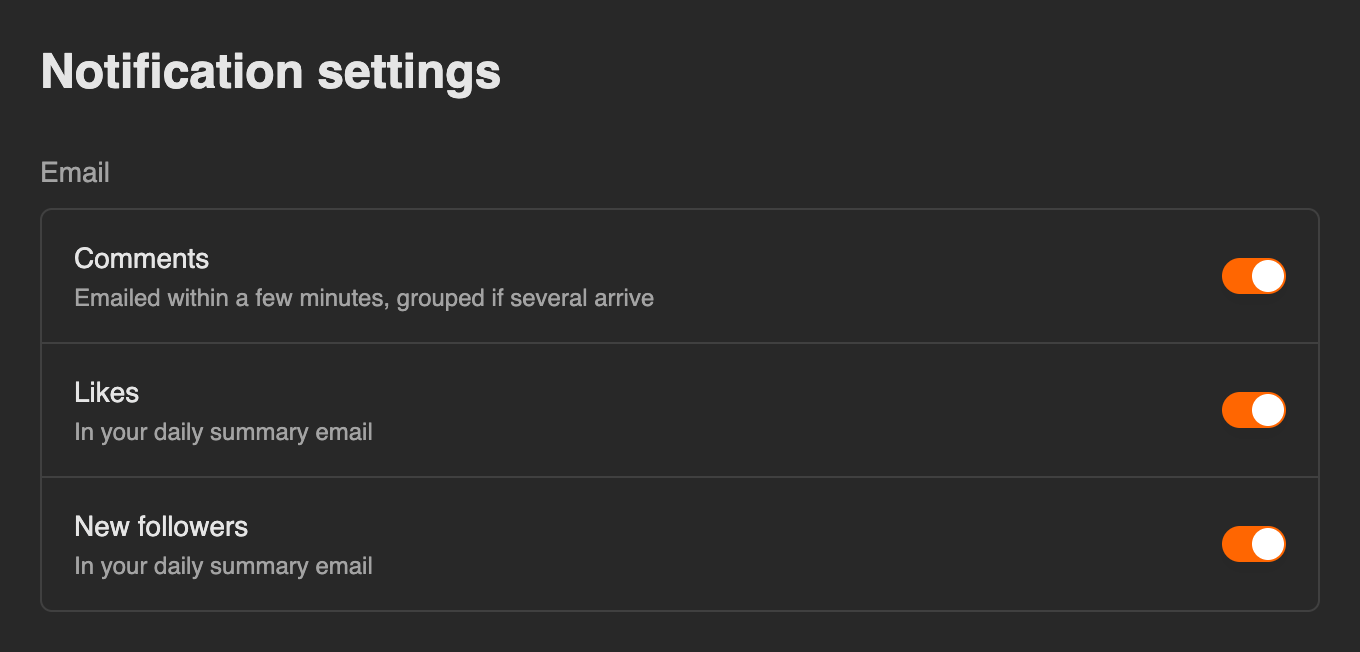
Under Email, each kind of activity has a switch:
| Switch | When you're emailed |
|---|---|
| Comments | Within a few minutes of a comment, grouped if several arrive. |
| Likes | In your daily summary email. |
| New followers | In your daily summary email. |
A change saves as soon as you flip the switch. If it can't be saved, the switch flips back and the page says so.
These switches only affect email. The Notifications panel always shows all three kinds of activity.
See also
- Profiles and Following — follow creators, and see who follows you
- Scene page — where visitors like and comment on your splats